One platform, every screen
Every screen, from the same system
Order kiosk, POS and customer display — no separate subscriptions or integrations, just the same menu and the same orders on every screen in the restaurant.
From guest to closing time
This is how one order travels through your venue.
Table 4 orders online, the kiosk takes payment, the kitchen and the bar each get their own ticket, and your server closes the bill at the table. Play the timeline and see who does what — and which part of Onavan is running at that moment.

What's running right now
Self-order kiosk
Self-service ordering like the big chains
Guests order themselves at a kiosk near the entrance — same menu, stock and prices as the webshop, with an automatic drink upsell right before checkout.

Self-service ordering like the big chains
Point of sale (POS)
Fast checkout at the counter
The screen behind the counter: PIN login per staff member, ring up in two taps, link tables and check out — cash, card, gift card or split.
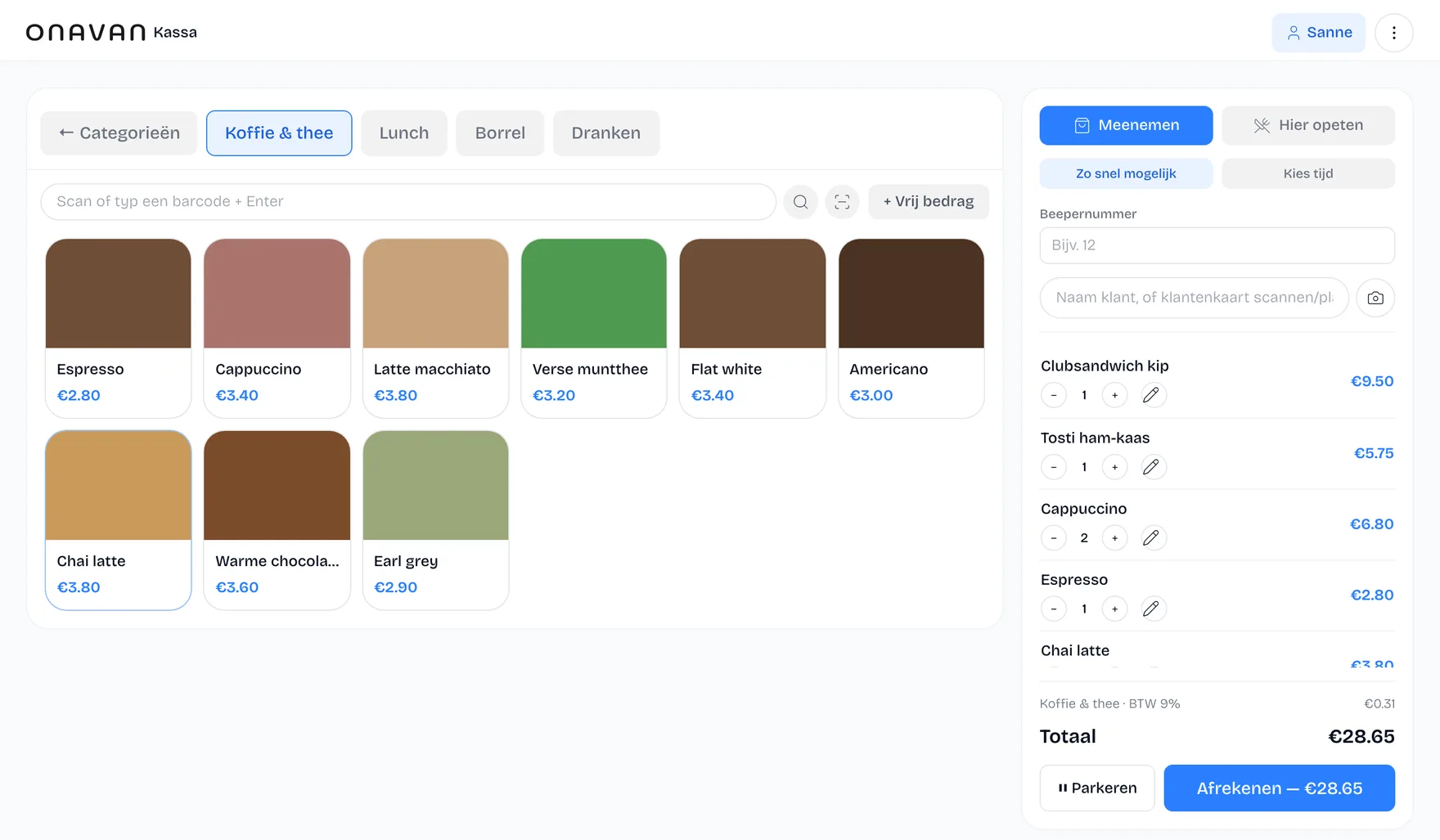
Table management & floor plan
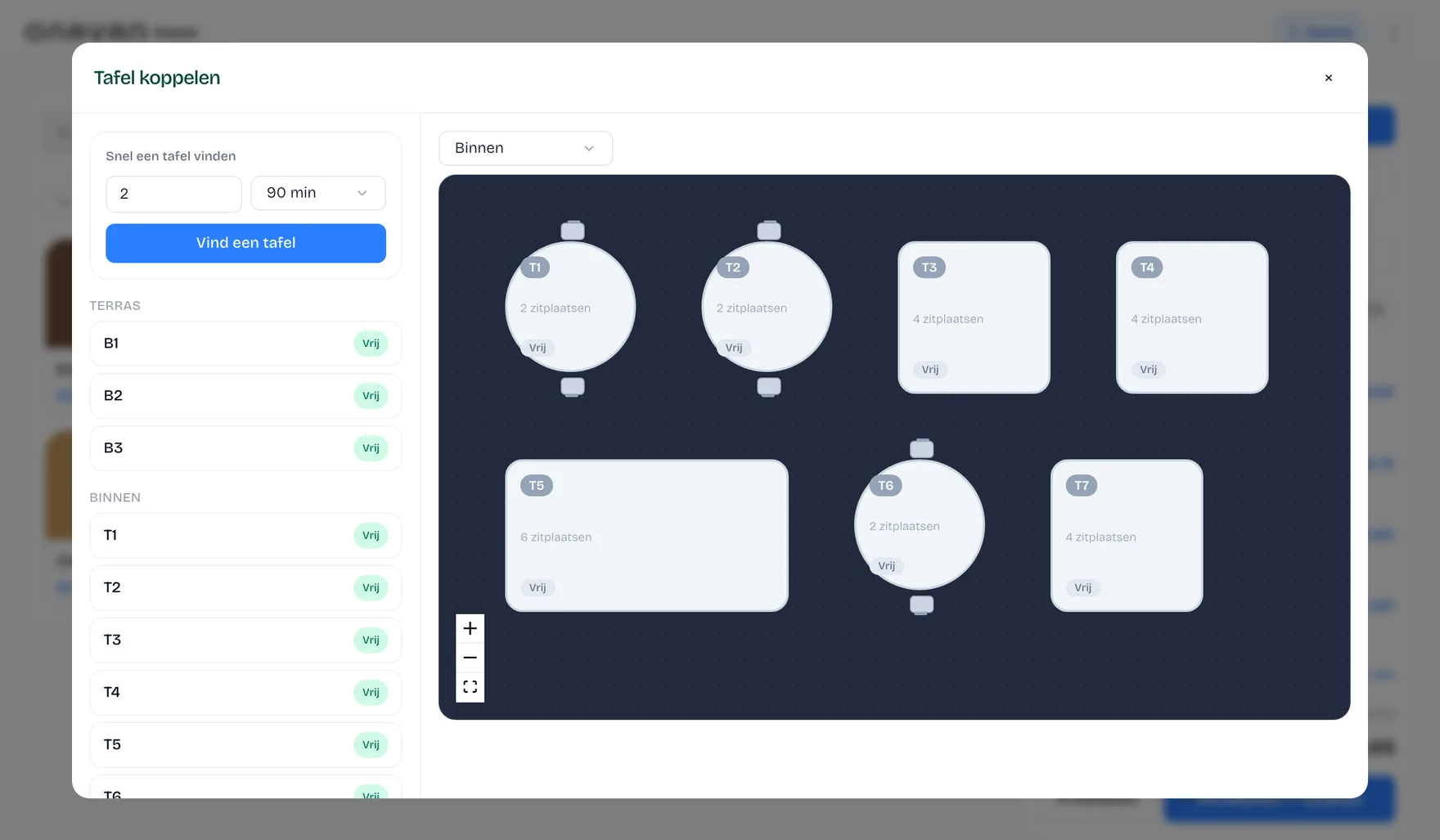
See which table is free at a glance
The floor plan of your venue with live status per table: free, occupied or open too long. Orders are linked to the table, so adding items and splitting bills takes no searching.
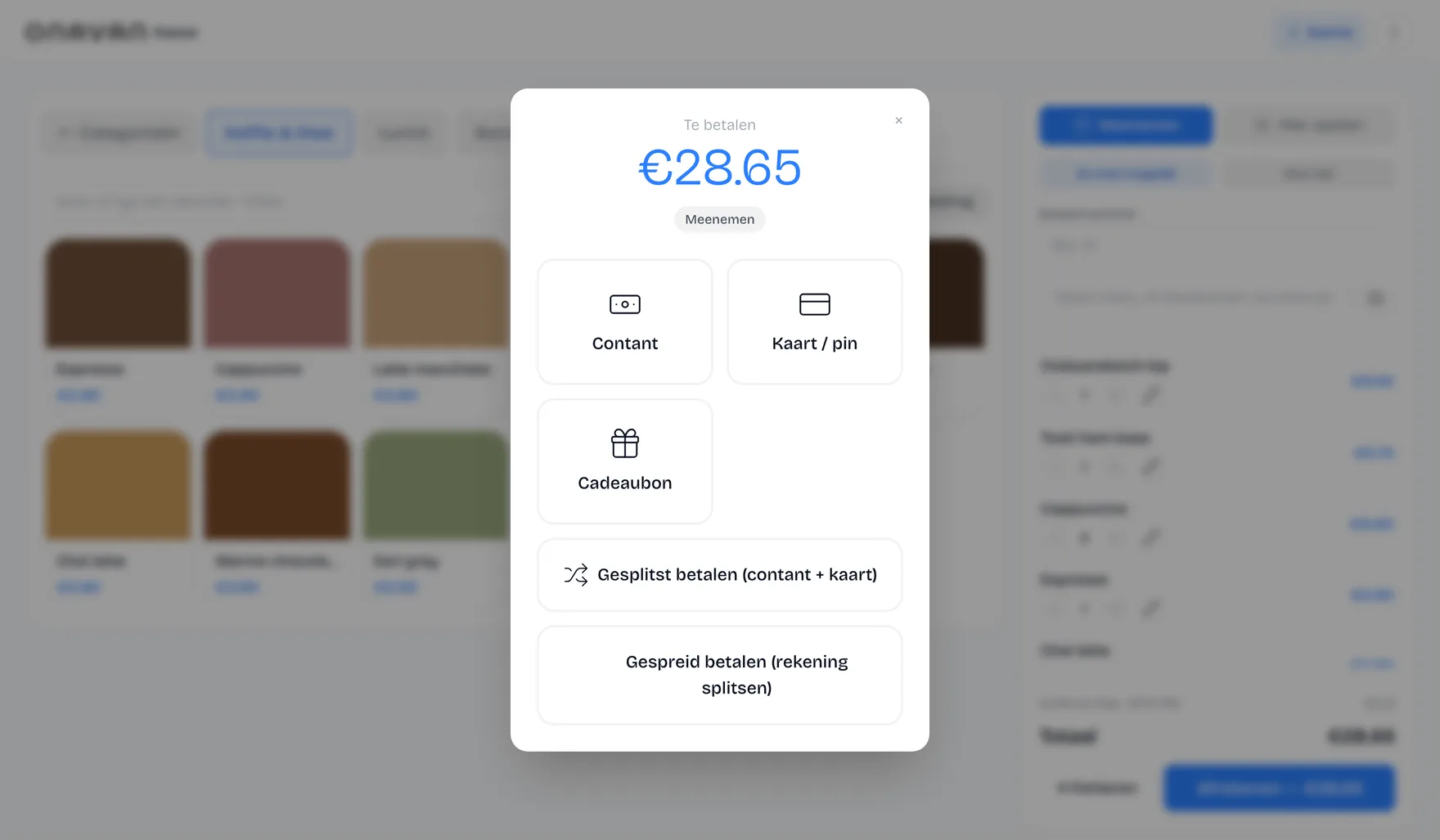
Checkout & payments
Card, cash, gift card or split
The payment screen settles the bill however the guest prefers: card, cash with change calculation, gift card or a split bill — and prints the receipt right away.
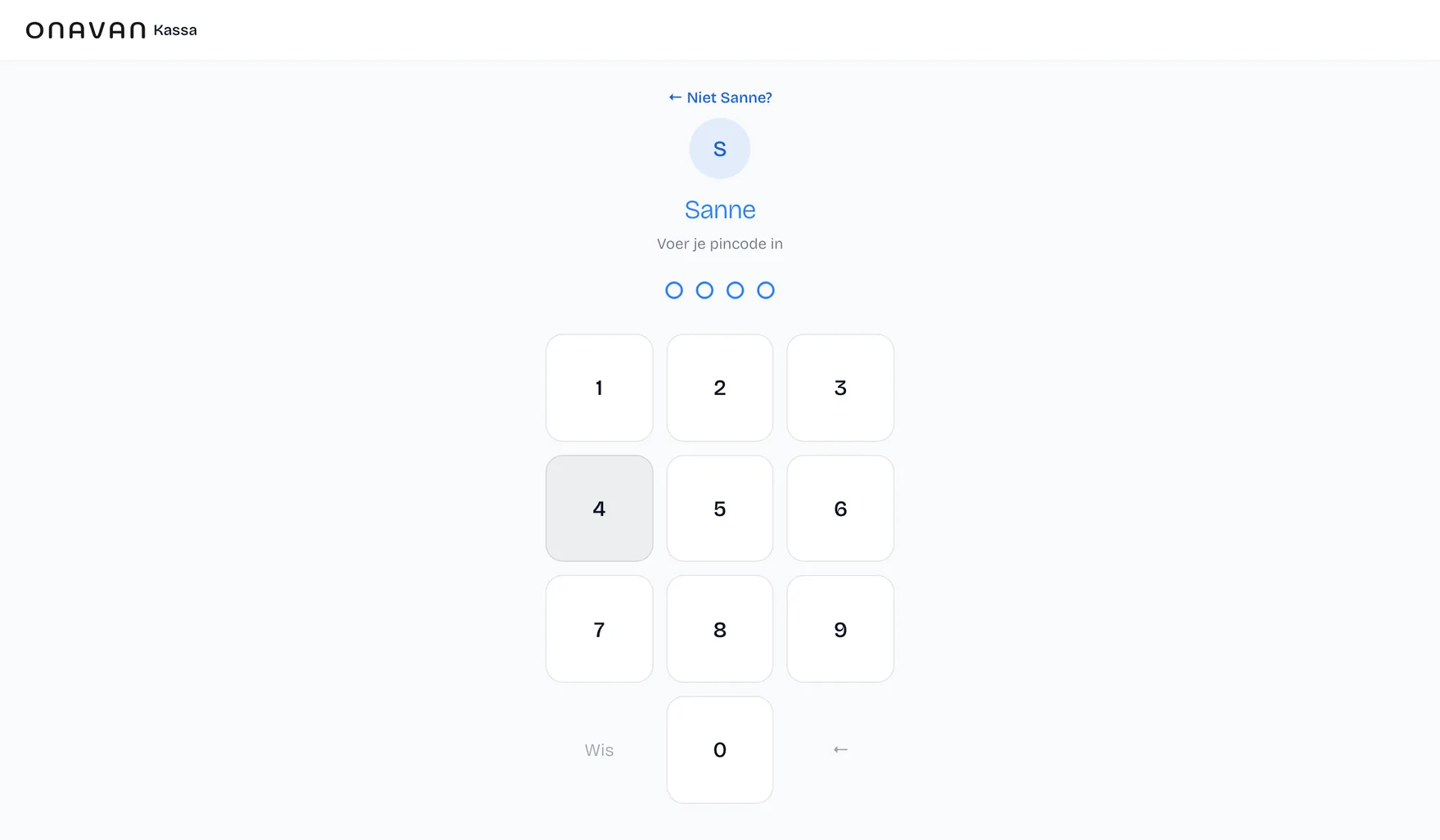
PIN login per staff member
Switch fast, keep everything traceable
Every staff member logs in with their own PIN on the same device. You see who rang up each order, and the team can safely share one till.
Customer facing display
The guest watches the total build up live
A second screen facing the guest: the receipt updates live while staff ring up the order, with room for your own promo banners in between.
The guest watches the total build up live
Curious how this looks in your restaurant?
We'll show you in a short call how the screens work together in practice.